
How peydsim Works
- 1
Choose destination
Choose your destination and select your preferred eSIM package.
- 2
Install your eSIM
On iPhone, tap "Add eSIM" or simply scan the QR code (or enter the details manually).
- 3
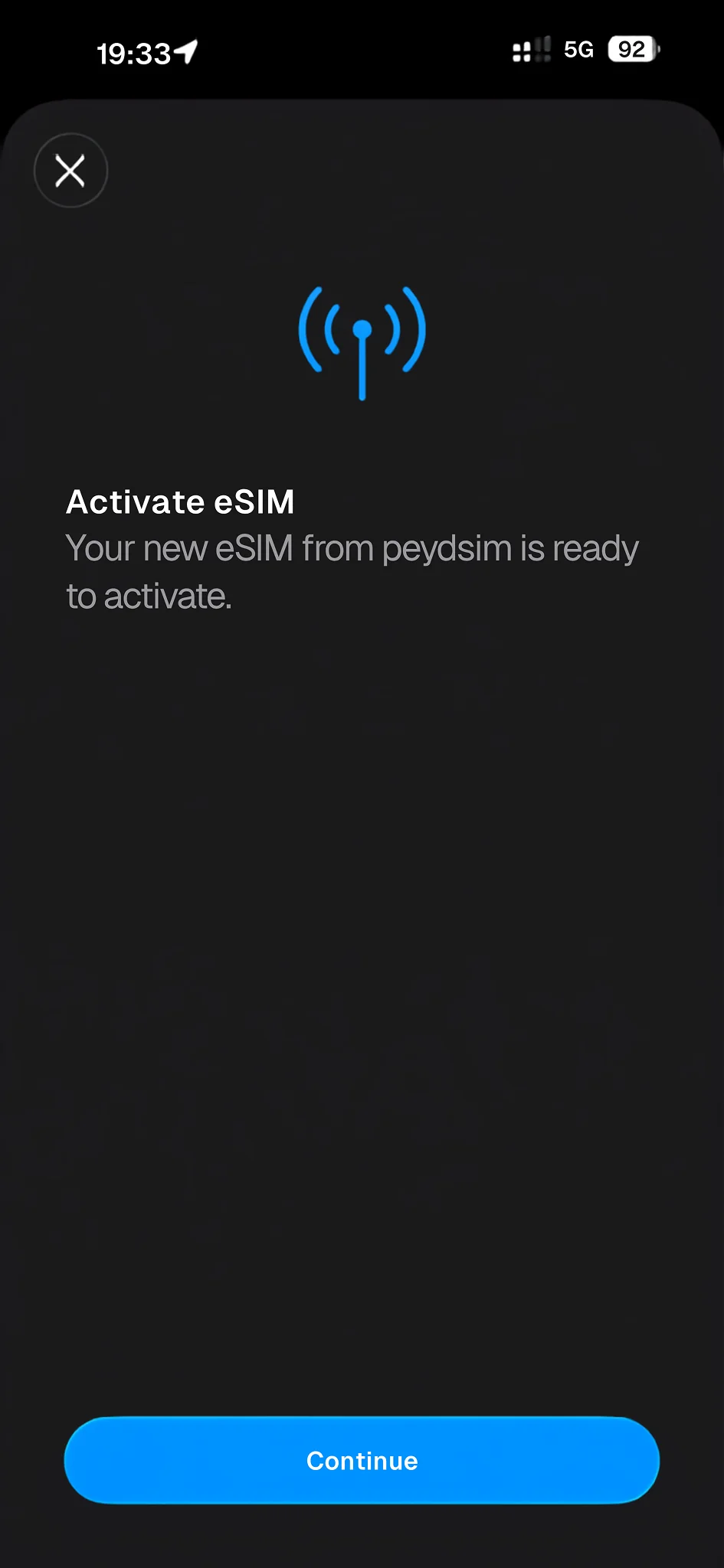
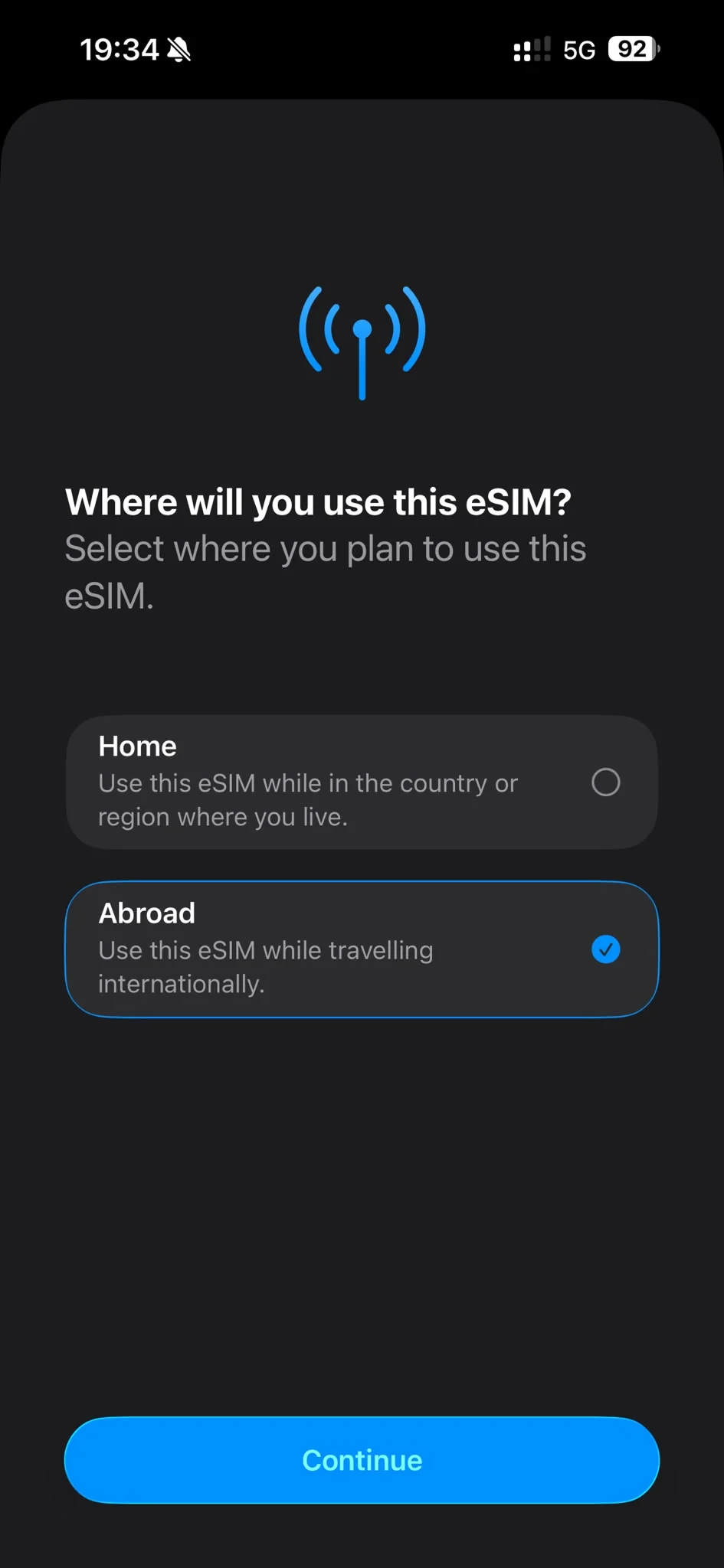
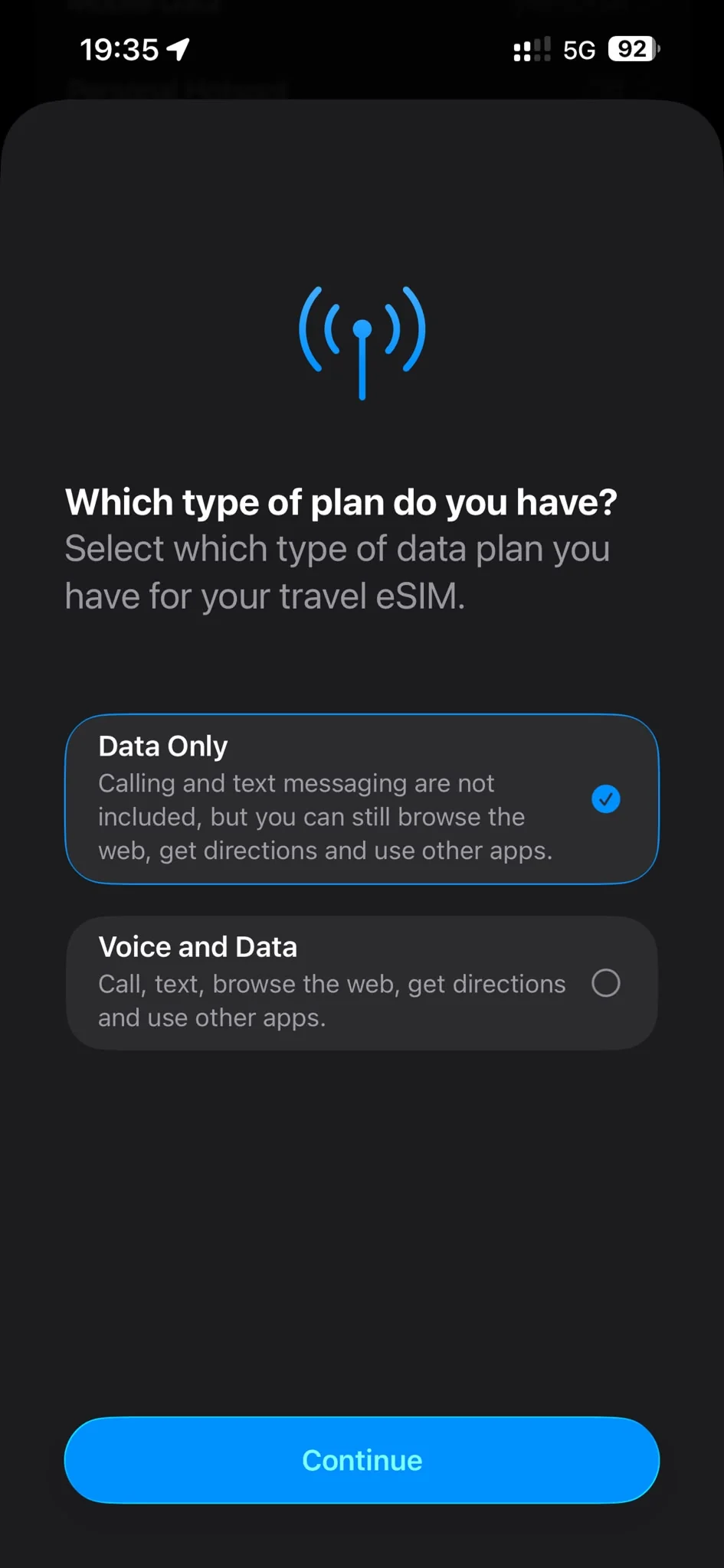
Activate your eSIM
Select "Abroad" in the activation flow as well as "Data only". Activate Data Roaming to start using your mobile data once you arrive at your destination.








Frequently asked questions
You did not find an answer to your question? Don’t worry, visit our support center
Download the app and manage your eSIMs with ease!
Fast setup, transparent pricing and uninterrupted internet in one app.